
Download
Xenbox runs on 64-bit Windows 10 and above, as well as macOS (from Big Sur).
Installation Guide
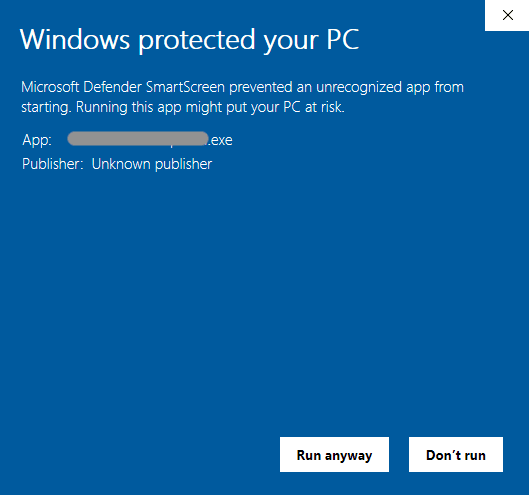
If the software does not start on Windows
By clicking on the “More info” button in the Windows SmartScreen warning, an additional “Run anyway” button will appear, allowing you to launch the installer.

macOS
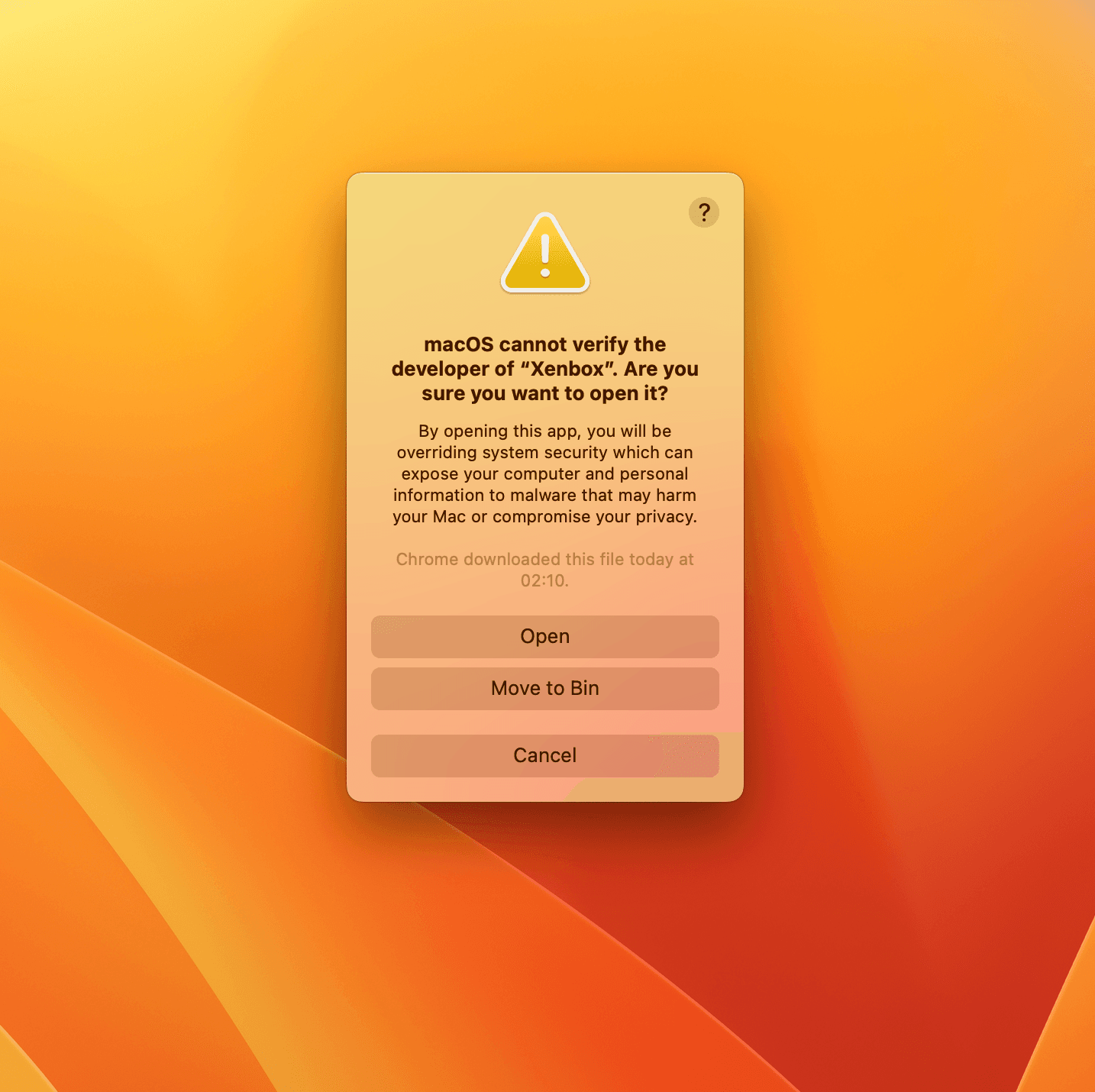
Xenbox is not yet signed, so you may see a “file is damaged” or “unidentified developer” warning during installation.
macOS GateKeeper blocking Xenbox on first launch
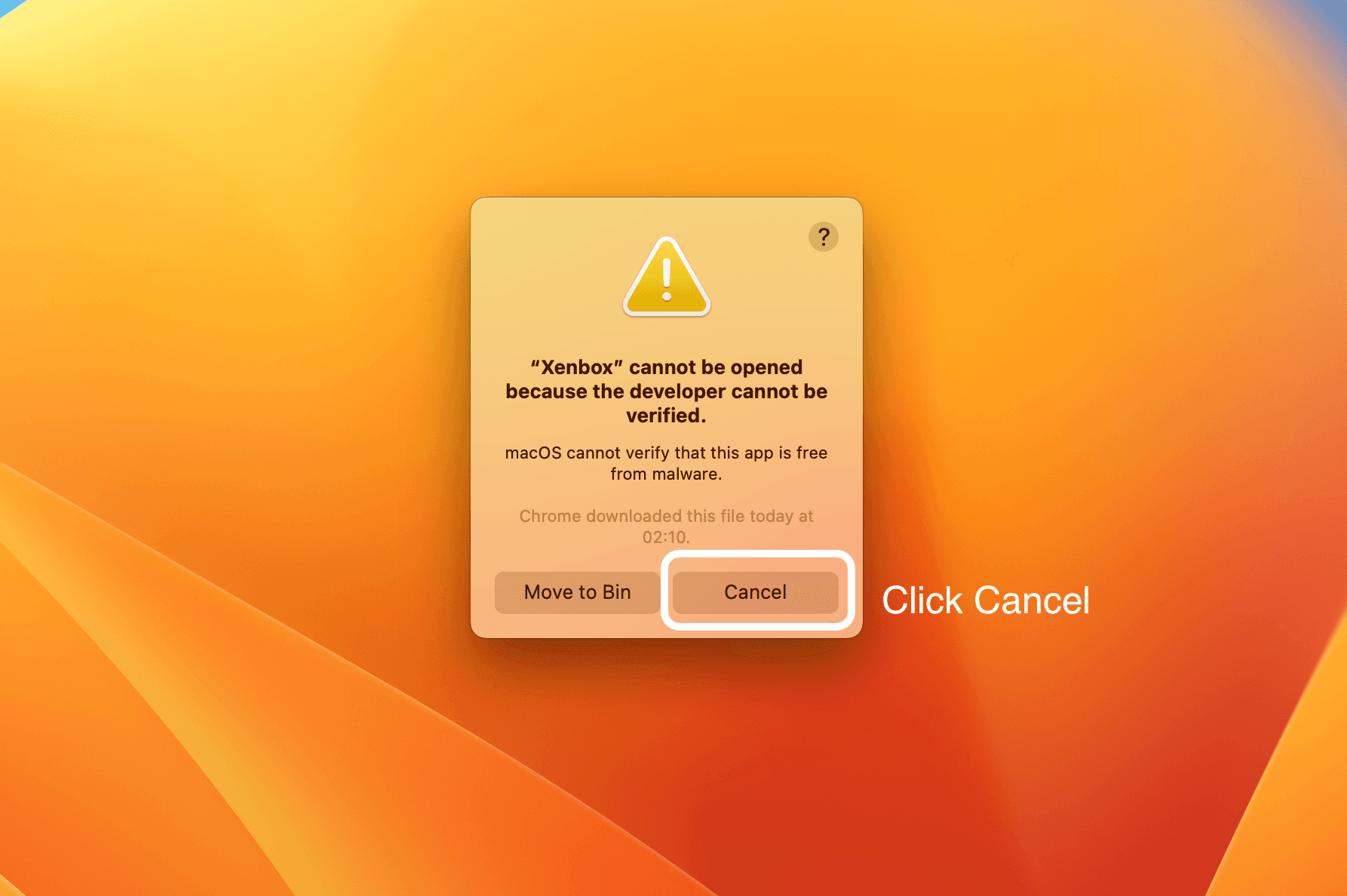
Intel: Go to System Preferences → Security & Privacy and click “Open Anyway” to allow Xenbox.
Apple Silicon (M series): Open Terminal and run the following command to remove the quarantine flag:
If you get an “option -r not recognized” error, run these two commands instead:
System Settings → Privacy & Security → Open Anyway
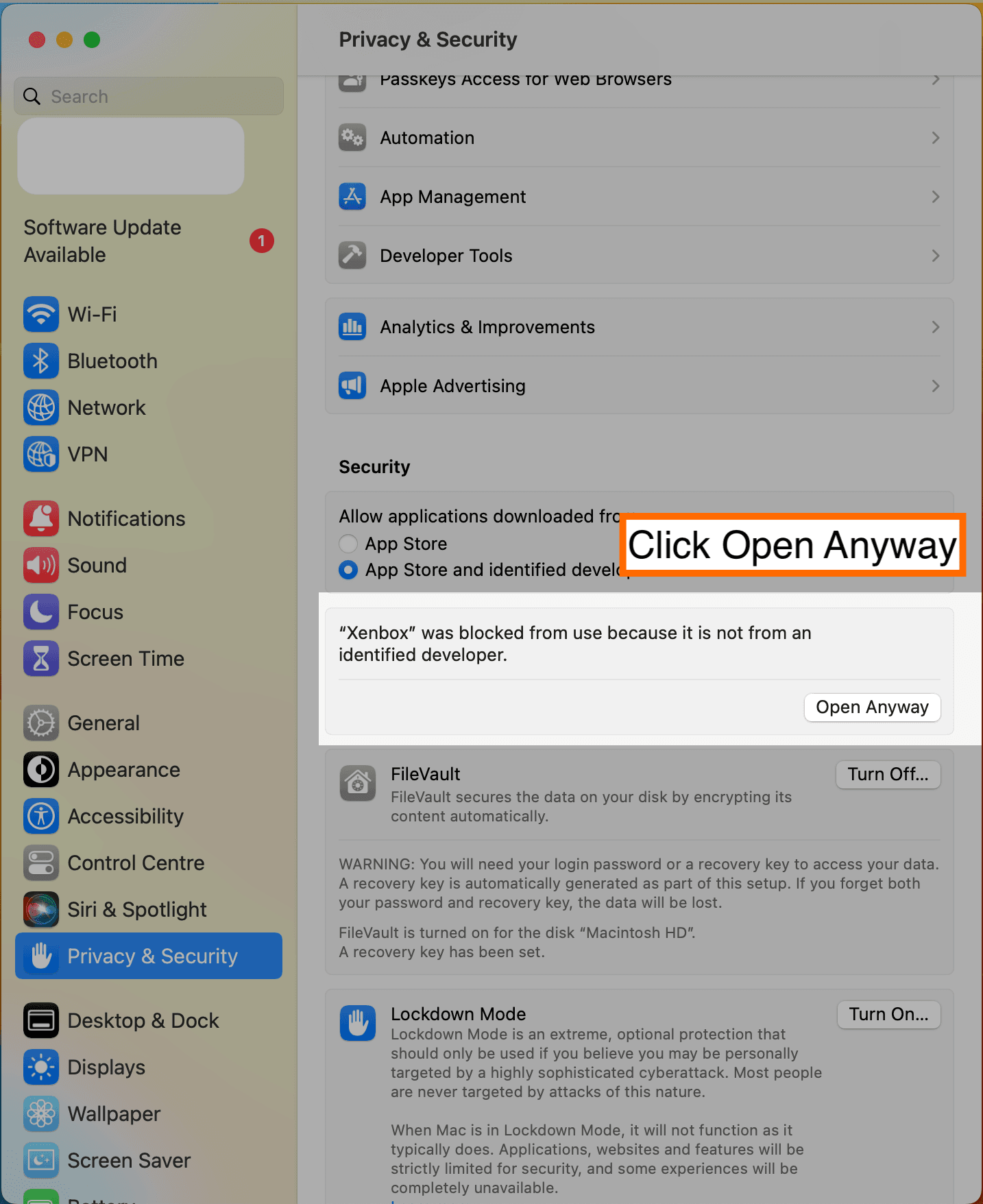
Then: in the prompt click → Open